Turn a walkthrough into a punch list your team can act on.
Record and narrate jobsite issues. Punchlist Live drafts the tasks, matches visual evidence, and gives your team one clear place to finish the work.
No credit card. You create a project, upload a narrated walkthrough, review the draft, and export a PDF.
See how it works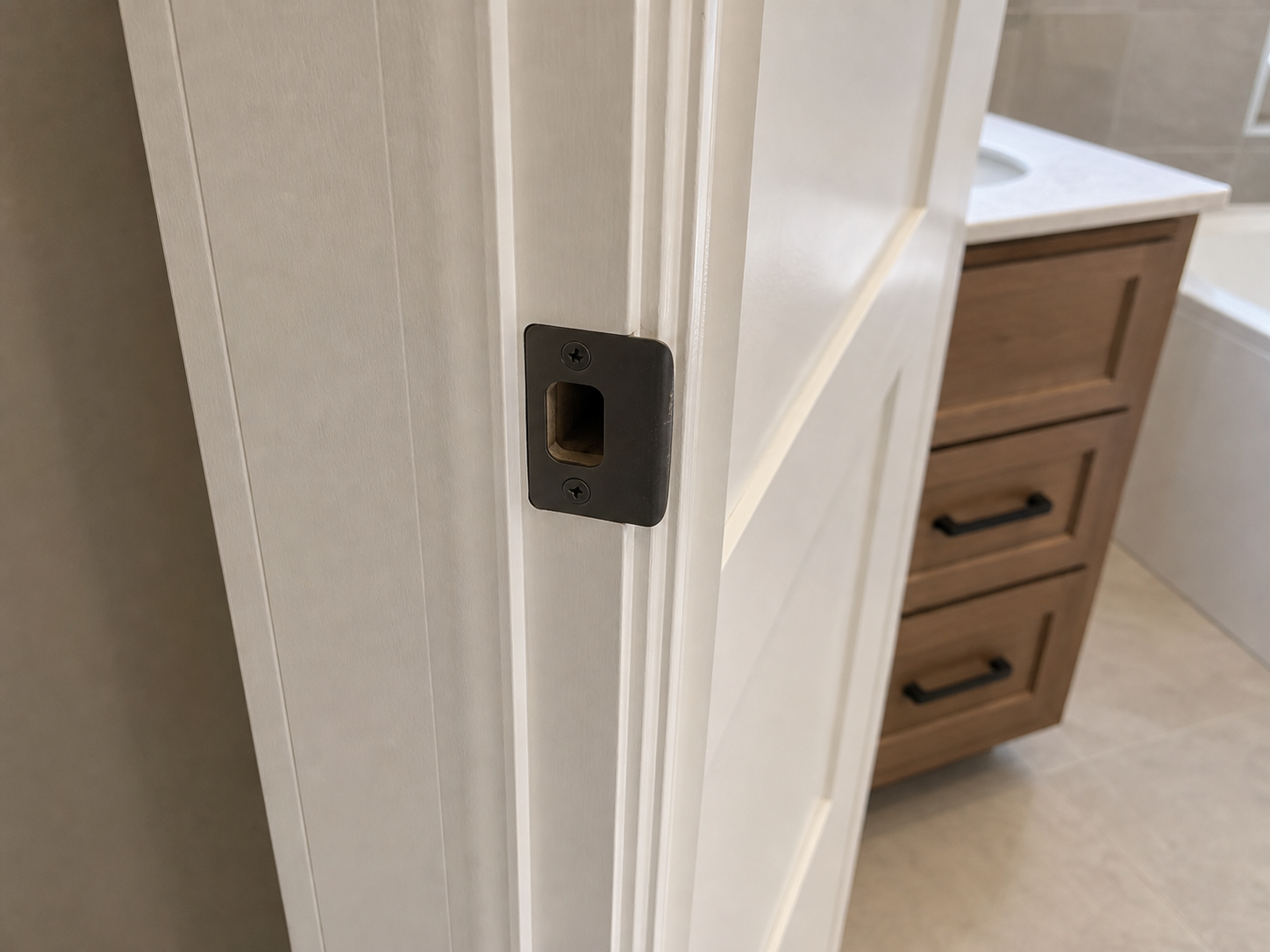
Riverside Duplex · Unit B · illustrative sample
Adjust master bath door strike
In progressAdjust strike plate so the latch secures and the door closes flush.
Primary bath · Final walkthrough · 04:18 · Ready to assign
Keep your eyes on the site—not your notes.
Punchlist Live drafts the first pass. You decide what the team sees.
-
1
Walk and narrate
On your phone, name the room, describe the issue, and hold on the detail that matters.
-
2
Review the draft
Narration and reference frames become punch-list items. Tighten the wording before anyone else sees it.
-
3
Move work to done
Assign an owner, update status, and export a PDF for handoff.
Evidence stays attached to the work.
The still, the timestamp, and the expected fix stay on the item. Assigning it does not mean rebuilding the walk from memory.
For the people who spot the issue—and the people who fix it.
A shared punch list for field teams who need less transcription and a cleaner handoff.
Superintendents and site leads
Capture closeout observations without stopping to type every note in the field.
General contractors
Review the draft, clarify scope, assign ownership, and keep open work visible.
Renovation and owner teams
Turn walkthrough context into a professional, evidence-backed handoff.
Know what happens before you upload.
The draft stays with you until you confirm the wording, the evidence, and who owns it.
Does AI publish tasks automatically?
No. Punchlist Live drafts items for review so you can confirm the wording, evidence, ownership, and status before handoff.
Do I need special capture equipment?
No. Record the walkthrough on your phone, narrate what you see, and upload the video to your project.
Can my team collaborate on the list?
Yes. Project members can work from the same list, with assignments, task status, and comments kept together.
Can I share the finished list outside the app?
Yes. Export a PDF of the list, or email one item as a secure link a subcontractor can complete without an account.
Walk the site once. Leave with a list that can move.
Create a project, upload a narrated walkthrough, and review your first draft before anyone else sees it.
No credit card required